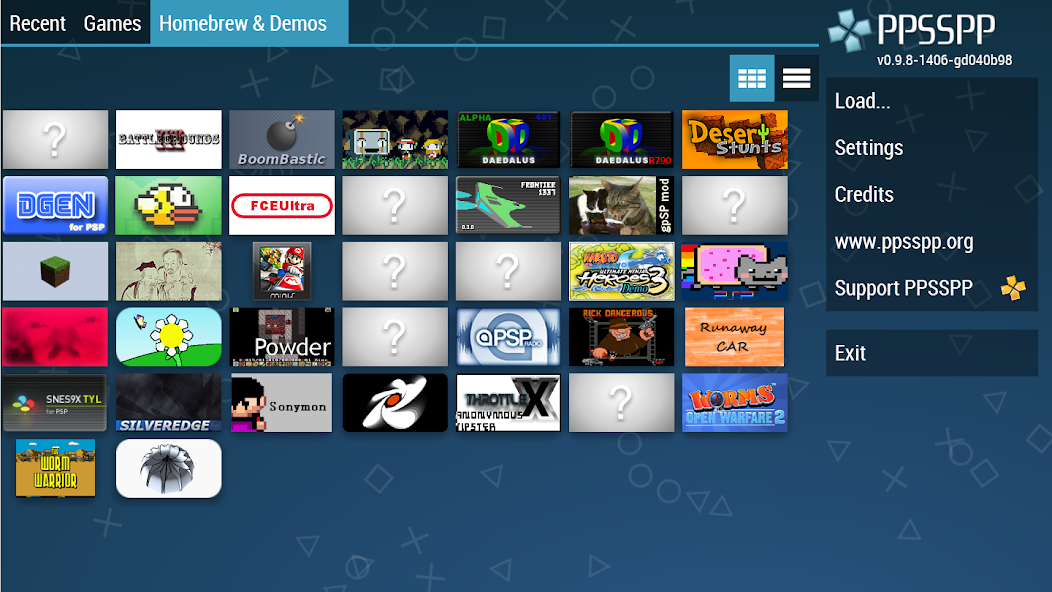
What is PPSSPP - PSP emulator Games?
PPSSPP is an open source emulator designed to run games originally developed for the PlayStation Portable platform on a wide range of modern devices. It recreates the PSP hardware and software environment by translating PSP system calls and graphics instructions into forms that can be executed by desktop and mobile processors and graphics APIs. The emulator emphasizes compatibility across many titles, addressing differences in system timing, audio playback, and input handling so that games behave similarly to the original handheld. Users benefit from options that are not available on the original console, including dynamic resolution scaling, texture filtering, and custom shader effects that alter visual appearance for higher perceived fidelity. PPSSPP supports save states and traditional save files, enabling quick restoration of game sessions and offering convenient experimentation during playtesting and exploration. The project is maintained as a community-driven effort with frequent updates to core emulation components, performance optimizations, and bug fixes. Cross-platform portability is a key attribute, with builds available for major desktop operating systems and various mobile architectures where compilation targets support performance libraries and graphics drivers. Input can be mapped from physical controllers, touch interfaces, and keyboard layouts, making the application adaptable to different play styles and accessibility needs. Debugging tools in the emulator provide insight into internal behavior for developers and modders interested in how PSP titles manage resources. While the emulator focuses on accuracy and speed, it also presents features that modernize the experience, such as frame limiting, audio latency controls, and options to disable or tweak specific system functions to work around title-specific issues. These customization layers let players balance visual fidelity, input responsiveness, and battery life depending on hardware constraints and personal preference. Regular community forums and developer changelogs outline technical changes, experiment results, compatibility notes, and recommended tweaks for specific games, setups.
On the technical side, PPSSPP provides a rich array of emulation and enhancement features that interact with hardware acceleration and rendering pipelines to transform the original asset presentation. The emulator translates PSP graphics calls into modern graphics API operations, allowing options such as internal resolution scaling that multiplies the native framebuffer size to produce crisper output on high-resolution displays. Texture filtering and anisotropic sampling reduce blockiness and shimmering on enlarged sprites, while configurable post-processing shaders can emulate CRT scanlines, bloom, or alternative color grading. Performance settings include frame skipping, multithreaded audio decoding where supported, and CPU affinity adjustments on platforms that permit it; such controls permit tradeoffs between throughput and compatibility. Accurate audio emulation involves timing adjustments, resampling, and buffering parameters to minimize crackling and maintain lip-sync with cutscenes. Input mapping supports diverse controller layouts and analog deadzone calibration for subtle tweaks to joystick response. Advanced options expose virtual memory management behaviors, I/O stubbing, and hooks for debugger attachment, which are valuable for reverse engineering and homebrew development. Save state compression reduces storage footprint for large play sessions while maintaining rapid load times. The emulator also contains heuristics to accommodate game-specific quirks, like timing patches or alternative shader paths that fix visual glitches without manual intervention. A modular plugin-like structure in some builds allows experimenters to extend rendering or input layers, adding custom modules for overlay displays, networked multiplayer prototypes, or automated testing scripts. All of these controls aim to make original PSP titles playable, customizable, and performant across an array of modern hardware configurations. Developers often profile performance hotspots and adjust shader compilation strategies, sometimes providing precompiled shader caches to reduce stutter during scene transitions, while community-created profiles document which settings best balance fidelity and smooth framerate for particular CPU and GPU combinations. This iterative testing improves overall stability.
From a user experience standpoint, the emulator prioritizes a flexible and familiar interface that caters to both newcomers and seasoned emulator users. Menus surface frequently used options like graphics presets, control mapping, and audio latency settings while exposing advanced toggles in deeper configuration panels for fine-tuning. Touchscreen devices receive context-sensitive on-screen controls that can be resized and repositioned, and visual feedback for button presses helps clarify mappings during gameplay. Controller vibration and rumble support can be translated to available hardware actuators where applicable, adding tactile feedback to immersion. Save management integrates both conventional in-game saves and instant save states; thumbnail previews and timestamped entries simplify navigation of multiple restore points. Performance overlays display real-time metrics—frame rate, CPU load, and GPU utilization—so players can observe how settings impact rendering behavior and responsiveness. Cheat systems and scripting hooks enable experimentation with gameplay variables for speedruns, testing, or curiosity without altering original files. When portability is important, the emulator's cross-save approach keeps progress transferable across compatible builds, easing transitions between devices and sessions. Accessibility considerations include adjustable font sizes, colorblind-friendly UI toggles, and customizable control deadzones to accommodate varied physical needs. For those interested in social features, local networking experiments have been implemented in experimental branches to prototype synchronous play, though compatibility varies by title. The design philosophy balances simplicity and depth: default presets provide reasonable performance for general use, while power users can dive into verbose logs, input polling rates, and shader compilation options to chase perfect synchronization. Overall, the user experience emphasizes responsiveness, clarity, and the ability to shape the play environment to match personal preferences or hardware constraints. Comprehensive keyboard shortcuts and controller profiles can be shared within a community, speeding setup for similar devices and enabling consistent control behavior across multiple systems and configurations. This lowers the barrier significantly.
PPSSPP originated as a volunteer-driven project focused on recreating PSP functionality with modern tooling and cross-platform portability. Its codebase is published under a permissive open-source license that allows contributors to inspect, modify, and distribute improvements subject to licensing terms. Over the years developers have refactored core subsystems to improve maintainability and performance, replacing platform-specific logic with abstraction layers that simplify compilation for new targets. Continuous integration and automated test suites help catch regressions when core rendering or audio paths change, while regression test cases document behaviors for specific titles that historically presented emulation challenges. Contributors range from graphics and audio specialists to input and build systems experts, reflecting the interdisciplinary nature of emulation engineering. The project maintains a public issue tracking process for bug reports and feature discussions, enabling a transparent prioritization of patches and acceptance criteria. Build scripts and containerized toolchains reduce environmental differences, making reproducible builds more achievable across varied developer machines. Third-party patches and forks occasionally emerge to explore experimental features, such as alternate rendering backends or specialized profiling hooks; upstream maintainers review changes for integration when they align with project goals. Educational value is significant: students and hobbyists study the emulator to learn about low-level hardware abstractions, real-time scheduling, and the challenges of mapping legacy APIs onto contemporary graphics drivers. Documentation efforts include developer notes, API outlines, and annotated code segments that clarify intent behind complex emulation paths. The cumulative work reflects an iterative engineering discipline: measuring performance, isolating edge cases, and balancing accuracy against pragmatic performance improvements to keep a wide catalog of games playable. Maintenance also includes profiling memory usage and identifying platform-specific bottlenecks, as well as documenting compatibility lists, known regressions, and suggested configuration tradeoffs that developers use when triaging issues. This approach helps prioritize fixes while keeping the project sustainable and performant.
In practical use, players often balance graphical ambition against the realities of their hardware and battery constraints by experimenting with preset groups of options to find a stable configuration. Common adjustments include lowering internal resolution on underpowered devices, reducing shader complexity, or switching to faster texture filtering modes to gain smoother framerates. Audio buffer sizes and thread priorities can be tuned to reduce hiccups in speech-heavy scenes, and disabling nonessential post-processing yields energy savings on mobile platforms. Regularly exporting and versioning save states and memory snapshots helps protect progress when trying bold changes, and using consistent naming conventions with timestamps avoids confusion when managing multiple session points. Controller calibration is important: fine-tuning analog deadzones, remapping buttons to reduce finger strain, or creating alternate profiles for genres such as fighting, racing, or platforming makes gameplay feel natural. For users who mod assets, converting high-resolution textures or reauthoring shaders may unlock visual improvements, but such changes should be tested incrementally to prevent regressions. Building a small performance checklist—monitoring frame rate, CPU/GPU load, and observing graphical artifacts under stress—speeds troubleshooting and helps identify whether a setting or a title-specific quirk is the root cause. A practical mindset emphasizes experimentation, documentation of successful configurations, and sharing non-sensitive configuration files with others exploring similar hardware setups. Ultimately, the emulator provides a toolkit for experiencing PSP-era content with modern conveniences and configurability while preserving the ability to tailor behavior to personal preferences and device limitations. Users should consider legal and ethical implications by respecting intellectual property and using game media consistent with ownership rights. For long sessions, disable unnecessary background tasks, use performance profiles, and lower display brightness to conserve power. Save distinct hardware and title profiles, and export concise configuration summaries to reproduce preferred setups when moving between devices across similar mobile and desktop platforms.
How to Get Started with PPSSPP - PSP emulator?
- 1. Download PPSSPP:
- - Visit the official PPSSPP website (ppsspp.org).
- - Choose the version suitable for your device (Windows, Android, iOS, or others).
- 2. Install PPSSPP:
- - Run the downloaded installer on your computer or open the app on your mobile device.
- - Follow the on-screen instructions to complete the installation.
- 3. Obtain PSP Games:
- - Dump your own PSP games using a PSP console or find legally obtained game ISO or CSO files online.
- - Make sure to comply with copyright laws.
- 4. Load Games in PPSSPP:
- - Open PPSSPP.
- - Navigate to the folder where your game ISOs or CSOs are stored.
- - Select the game to start playing.
- 5. Adjust Settings:
- - Access the settings menu to customize graphics, control mappings, and audio settings for optimal performance.
- 6. Save and Load Game States:
- - Use the save state feature to save progress at any point.
- - Load saved states to continue from where you left off.
- 7. Explore Additional Features:
- - Use cheat codes, enable multiplayer, or modify graphics enhancements as needed.
- 8. Update PPSSPP:
- - Regularly check for updates to get new features and improvements.
10 Pro Tips for PPSSPP - PSP emulator Users
- 1. Optimize Graphics Settings: Adjust the rendering resolution and enable or disable features like texture scaling and frame skip based on your device’s performance.
- 2. Use Save States: Take advantage of the save state feature to create quick saves and load at any point, making difficult sections easier to tackle.
- 3. Customize Controls: Configure your control layout for comfort and efficiency, ensuring you can access all functions easily during gameplay.
- 4. Enable Vulkan Rendering: If supported by your device, switch to Vulkan for better performance and improved graphics rendering.
- 5. Download BIOS Files: Some games may require BIOS files. Ensure you have the correct version for full compatibility with certain titles.
- 6. Use Cheat Codes: Input cheat codes to enhance your gaming experience, unlocking features or providing boosts as needed.
- 7. Manage Game Files: Keep your game files organized by creating folders for different genres or series to easily find and access them.
- 8. Explore Texture Packs: Enhance the visuals of your games by downloading and applying upscaled texture packs available from the community.
- 9. Adjust Audio Settings: Fine-tune the audio settings to reduce latency or improve sound quality, ensuring an enjoyable experience.
- 10. Regularly Update PPSSPP: Stay up-to-date with the latest version of the emulator to benefit from optimizations, new features, and bug fixes.
The Best Hidden Features in PPSSPP - PSP emulator
- **Enhanced Graphics**: PPSSPP allows you to upscale games to higher resolutions, improving visual quality significantly compared to the original hardware.
- **Save States**: You can save your game progress at any point and load it later, making it easier to conquer challenging sections.
- **Fast Forwarding**: Speed up gameplay during slow sections or while grinding, allowing for a smoother play experience.
- **Custom Controls**: Remap buttons and create custom control layouts to suit your preferences, improving comfort and gameplay.
- **Shaders and Filtering**: Apply various graphical enhancements like shaders and texture filtering to enhance visual effects and clarity.
- **Controller Support**: Use external controllers via Bluetooth or USB for a more authentic gaming experience, mimicking the original PSP controls.
- **Cheat Support**: Enable game cheats using built-in functionalities, allowing for fun modifications during gameplay.
- **Multiplayer Support**: Play local multiplayer games with friends over Wi-Fi, even if the original game didn’t support it.
- **Texture Replacement**: Replace or modify game textures with custom ones for personalized graphics and improved looks.
- **Frame Skipping**: Adjust frame rates to match your device performance, ensuring smoother gameplay on lower-end devices.
PPSSPP - PSP emulator Faqs
How can I save my game progress in PPSSPP?
You can save your game progress by using the in-game save option or by accessing the PPSSPP menu. Just go to the 'Save State' option in the menu to create a save file.
What graphics settings should I adjust for better performance?
To improve performance, reduce resolution and disable any unnecessary graphic enhancements like shaders and texture filtering. Experiment with settings that balance visuals and performance for your device.
Can I use cheat codes in PPSSPP games?
Yes, PPSSPP supports cheat codes. You can find and download cheat codes for your game and add them to the PPSSPP cheat file. The app allows enabling or disabling cheats as needed.
How can I load a saved state in PPSSPP?
To load a saved state, access the PPSSPP menu during gameplay. Select 'Load State' and choose the appropriate saved file. Make sure your desired save state was previously created. Follow these steps: 1. Open the game, 2. Pause the game, 3. Go to the PPSSPP menu, 4. Select 'Load State' and the save file.
What should I do if the game is not responding properly?
First, check your graphics settings and lower them if necessary. If issues persist, try closing other apps running in the background to free up resources. Restart your device to refresh system performance.


 HappyMod