About Advanced Offline Dictionary
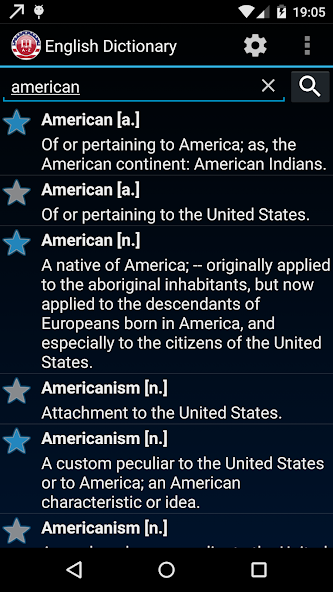
Offline English Language Dictionary
* Works entirely offline! No internet connection is needed! Perfect for your studies!
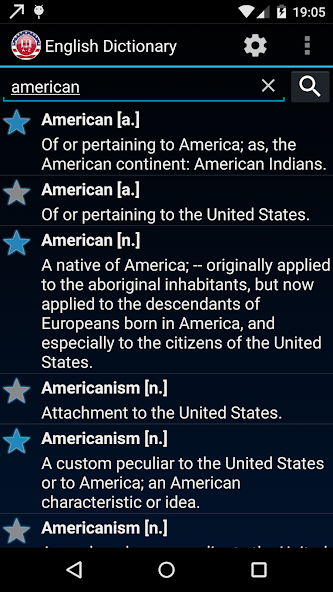
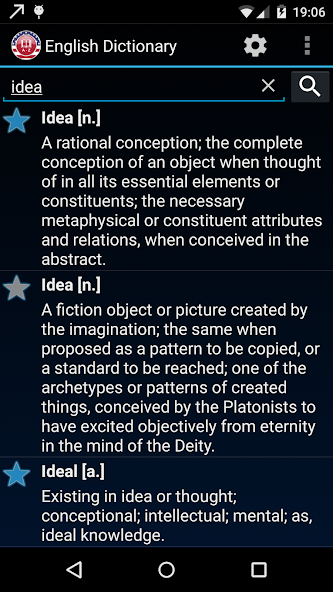
* Thesaurus with over 300,000 straightforward definitions with synonyms.
* Advanced search system:
- Search inside definitions and examples
- Search using different criteria: word start, exact match, or any substring
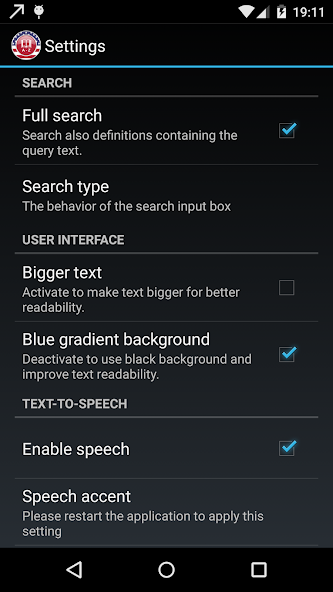
* Listen to the definitions using an American or British accent with Android's built-in Text-to-speech synthesizer.
* Read definitions with two font sizes. Optimized for phones and tablets!
* Saves your phone's data. The app installs itself automatically on the SD card if possible.
* Improve your vocabulary! The ideal lexicon to find American English synonyms/antonyms, word etymology, verbs, and more.
This app is supported by ads. If you like the application, please consider upgrading to the ad-free version to support the development. Thanks :)
FAQ:
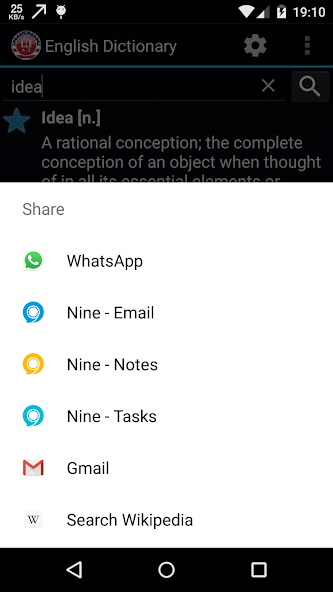
Q: How can I share a definition?
A: Just press 2-3 seconds over the translation and you will be presented with a menu with all available sharing in the dictionary options based on the apps installed in your device (Email, SMS, etc)
Q: How can I change the speech accent?
A: Just go to Menu --> Settings and select the language. Currently, 2 English accents are available:
* English (US)
* English (GB)
DISCLAIMER:
The text-to-speech (TTS) technology may not be available in some devices. To check if your phone is able of speech synthesis: Menu -> Settings -> Voice input & output -> Text-to-speech settings.
If not installed, your device may ask you to install the TTS engine. An internet connection may be required. We recommend installing it before traveling as roaming data tariffs may be very expensive.
This dictionary is based on:
- Webster's Revised Unabridged Dictionary (1913), a public domain resource.
- WordNet®, a lexical reference system whose design is inspired by current psycholinguistic theories of human lexical memory. English nouns, verbs, adjectives, and adverbs are organized into synonym sets, each representing one underlying lexical concept.
All web searched will be powered by Microsoft Bing.
Some of the web search services provided herein are provided by CodeFuel and powered by CodeFuel's search partners. For information on the web search services data collection, please visit http://www.codefuel.com/legal/end_user_privacy_policy, and the search provider's privacy policy, as applicable, both as updated from time to time and at any successor locations.
Terms and Conditions:
https://www.volcera.io/copy-of-terms-and-conditions
EULA:
https://www.volcera.io/copy-of-eula
Advanced Offline Dictionary Faqs
What about the Advanced Offline Dictionary Mod ?
Advanced Offline Dictionary is a Arcade Games Developed by Skyloft. This mod is upload by HappyMod App Users. The Mod Feature about This Mod is: 1. UNLIMITED GOLD
2. UNLIMITED UPGRADES.
How can I download the Advanced Offline Dictionary Mod?
You need to click the download button to Downloading Page, then you will download Advanced Offline Dictionary directly. If you have downloaded HappyMod App, it is ok. You need to install HappyMod App then click the download button on downloading page. The app you want to download will show on HappyMod App.
How about the download speed?
The download speed in HappyModpro is really fast. The Download speed in HappyMod App is faster. You can download HappyMod App first in home page.
Is Advanced Offline Dictionary Mod safe?
Advanced Offline Dictionary Mod is 100% safe. This mod was upload by users. It has been tested and overviewed by editor. Then we will use all types of an-ti virus software to scan the file. You do not to worry about the safety of Advanced Offline Dictionary Mod.
Why cannot install the Advanced Offline Dictionary mod?
First, you should uninstall the original version Advanced Offline Dictionary App, the signature will conflict with mod version. Then you should allow unknow resource can be install on your Android devices.
More Apps from same developer

 HappyMod