Drama Live Mod APK - IPTV player that supports FG, Xtream codes, M3u files and offers many advantages.
| App Name | Drama Live |
|---|---|
| Publisher | Sneig |
| Genre | App |
| Size | 19.47 MB |
| Latest Version | 13.0.0 |
| MOD Info | Remove ads |
| Get it On |
Drama Live focuses on smooth playback and flexible control for your personal IPTV playlists. It works on Android phones, tablets, Android TV, and TV boxes, so you can watch your content on any screen you prefer. The app is designed for quick setup and simple navigation, and it adapts to different network conditions for a stable viewing experience. Moreover, it supports both live channels and on-demand video from the sources you provide. Download Drama Live APK on APKPure to import your sources and start watching right away.
Easy playlist import
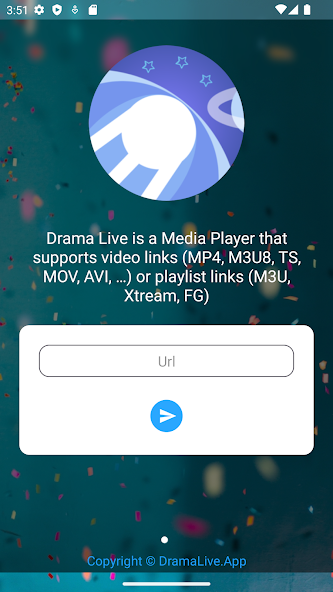
Drama Live lets you add content through M3U links, Xtream login, or FG codes. You can paste a URL or enter account details, and the app will load your live and VOD items. This makes it straightforward to reuse playlists you already have.
Stable playback with quality choices
The Drama Live player supports multiple quality options per channel, including SD, HD, FHD, and 4K when your source provides them. In addition, multi-server fallback and automatic live reconnection help keep streams playing if one source fails. Therefore, you can continue watching with fewer interruptions.
Flexible viewing controls
You can open multiple streams at once, enable picture-in-picture, or keep audio playing in the background. Drama Live also offers audio only mode and audio track selection when available. As a result, you can adapt playback to what fits your device and bandwidth.
Channel organization tools
Drama Live helps you manage large playlists with favorites, custom groups, logos, and start on launch for your preferred channel. Quick search and grid or list views make browsing faster. It also reads request headers from M3U files when your provider requires them.
Broad format and casting support
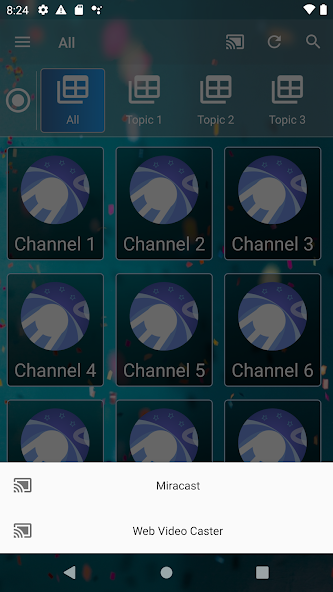
Many video file formats are supported on Drama Live: MP4, MKV, WEBM, HLS, DASH, MPEG TS, and M3U8. You can cast to compatible screens through Miracast and Web Video Caster. There is also a public or private chat while watching if your use case needs it.
Works across Android devices
Drama Live for Android runs on phones and tablets, and it is optimized for Android TV and TV boxes. The interface scales for remote control navigation on a big screen. Therefore, you can keep one app for both handheld viewing and living room setups.
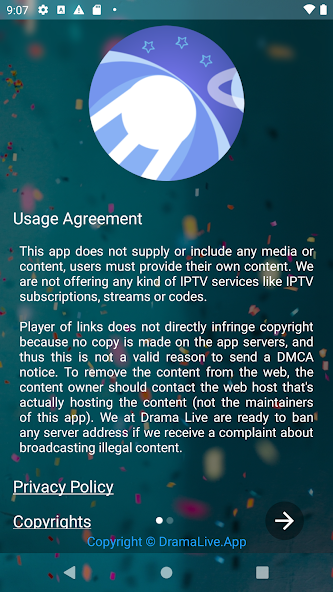
Drama Live does not provide channels, playlists, codes, or any media. You must add your own M3U, Xtream, or FG sources from providers you choose. The app does not host or distribute content and has no affiliation with any content provider. For copyright reports or legal inquiries, contact legal@dramalive.org. The team follows a DMCA-compliant approach and will review valid requests sent to that address.
Drama Live allows you to group channels by category, set a default quality in the player settings, and switch to an alternate server when the source offers multiple endpoints. These options help you tune performance when network conditions change.
Use trusted sources for your M3U or Xtream details and keep them private. Drama Live supports request headers from M3U files when a provider needs authentication through headers. For a secure install, use APKPure to download Drama Live, and check for the Drama Live APK latest version when you want to update. You can also use APKPure for Drama Live direct download on Android TV and TV boxes.
This quick guide shows how to set up the app and start streaming your own playlists. The process is the same on phones, tablets, Android TV, and TV boxes.
Download the Drama Live APK latest version from APKPure and install it on your Android device.
Open Drama Live, select Add Playlist, then choose M3U, Xtream, or FG according to the source you have.
After that, enter the URL or code and fill any required username, password, or headers, then save your playlist.
Open the playlist, organize channels into groups, mark favorites, and set a default quality in the player settings if needed.
Then, start a channel or VOD item, use picture-in-picture or background playback, switch servers when a backup is available, or cast with Miracast or Web Video Caster.
Drama Live is a practical player for M3U, Xtream, and FG sources on phones, tablets, and Android TV. Download Drama Live on APKPure to set up your playlists and watch your own live channels and VOD.
If you need to report copyright issues regarding content accessible through the app, contact the official address below.
Legal and DMCA contact: legal@dramalive.org
Does Drama Live include channels or playlists?
No, Drama Live does not include any channels, codes, or playlists. Drama Live is a player only, and you must add your own M3U, Xtream, or FG sources. The app does not host or distribute content, and legal notices can be sent to legal@dramalive.org.
Can I watch football or other sports with Drama Live?
Yes, if your playlists include sports channels or VOD items for matches, Drama Live will play them. Use search and groups to find sports content, set a lower default quality when your connection is limited, and switch servers when the source offers alternatives for a more stable stream.
What casting options does Drama Live support?
Drama Live supports casting through Miracast and Web Video Caster. Open a channel, tap the cast option supported by your device, and connect to the target screen. If casting is not available on your network, you can still use Android TV or a TV box version of Drama Live for direct playback.
Drama Live is a Arcade Games Developed by Skyloft. This mod is upload by HappyMod App Users. The Mod Feature about This Mod is: 1. UNLIMITED GOLD
2. UNLIMITED UPGRADES.
You need to click the download button to Downloading Page, then you will download Drama Live directly. If you have downloaded HappyMod App, it is ok. You need to install HappyMod App then click the download button on downloading page. The app you want to download will show on HappyMod App.
The download speed in HappyModpro is really fast. The Download speed in HappyMod App is faster. You can download HappyMod App first in home page.
Drama Live Mod is 100% safe. This mod was upload by users. It has been tested and overviewed by editor. Then we will use all types of an-ti virus software to scan the file. You do not to worry about the safety of Drama Live Mod.
First, you should uninstall the original version Drama Live App, the signature will conflict with mod version. Then you should allow unknow resource can be install on your Android devices.
Best mod downloader
for 100% working mods.
 HappyMod