Perfect Player Mod APK - Perfect Player is set-top box style IPTV Media player.
| App Name | Perfect Player |
|---|---|
| Publisher | Niklabs Software |
| Genre | App |
| Size | 23.41 MB |
| Latest Version | 1.6.0.1 |
| MOD Info | Unlocked/Pro |
| Get it On |
Perfect Player helps users who want a simple way to watch their own IPTV channels and video files on Android phones, tablets, and TVs. It works as a player only, so you add your own playlists and guide sources in Settings. With a TV like layout, you can browse channels and content with minimal steps, while playback settings help adjust performance on different devices. To find the right build of Perfect Player APK, choose the version that matches your device needs.
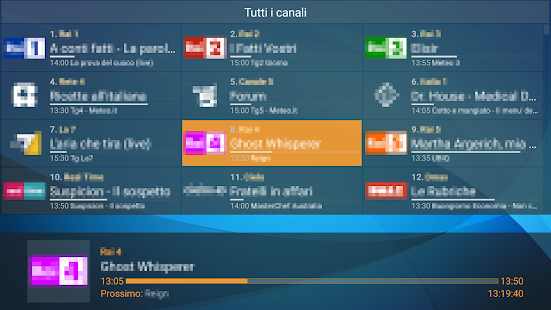
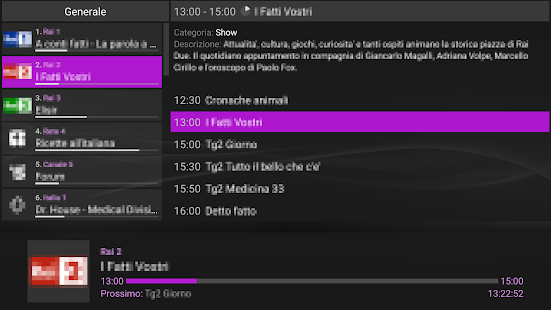
Perfect Player presents familiar on screen display menus that resemble a set top box. You see channel and program information while you browse, which keeps navigation simple. This layout reduces extra actions and helps you get to content quickly.
Adaptive OSD with Big controls for small screensThe scalable on screen display renders accurately across different resolutions and font sizes. When using a phone, you can toggle a Big controls panel with a two finger gesture to improve touch accuracy. This approach makes the app easier to handle on compact screens and varied Android devices.
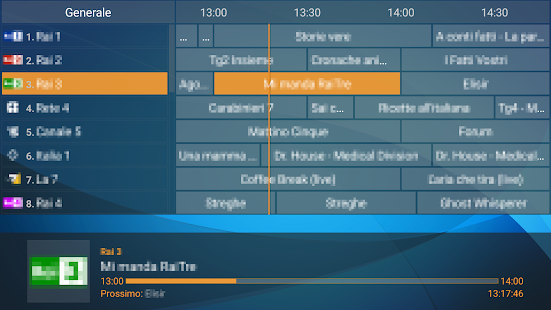
IPTV guide formats and channel organizationPerfect Player supports channel groups, channel logos, and extended electronic program guide details. The guide system works with XMLTV and JTV formats, so you can bring in schedules from compatible sources. As a result, your channels display with names, logos, and program timelines that are easier to follow.
Flexible sources and network friendly streamingYou can play local media files from SDCard or USB storage, and you can load playlists in M3U or XSPF. For networks where multicast traffic causes issues, Perfect Player can use udpxy to convert UDP streams to HTTP. This option may improve stability on home routers and shared Wi Fi setups.
PC data server integration and broad control optionsPerfect Player can connect to its Windows PC version acting as an IPTV data server. This link lets the Android app fetch playlists, EPG, and channel logos and also request instant playlist updates. For living room use, you can operate Perfect Player with a remote, mouse, or keyboard, and it supports the companion Perfect Cast IPTV remote app.
Perfect Player is a player only and does not supply or endorse any IPTV channels or services. To use the app, you must provide your own legal M3U or XSPF playlists along with EPG sources in XMLTV or JTV formats. If your home network struggles with multicast streams, consider udpxy to proxy UDP to HTTP, which can help stabilize playback on certain routers.
Decoder options in Settings can significantly affect performance across Android TV boxes, Fire TV Stick devices, and smartphones. If a stream stutters or fails, try different Decoder choices and test again. For users who prefer an ad free experience and added functionality, the Full version upgrade removes ads and enables extra features.
Before starting, prepare your playlist and guide sources so the setup is straightforward. If you plan to download Perfect Player for IPTV viewing, gather your M3U or XSPF links and XMLTV or JTV EPG URLs in advance.
Perfect Player provides a TV style way to view your own IPTV and local media on Android. To keep up with improvements and device compatibility, check the Perfect Player latest version and set up playlists and EPG sources that match your needs.
Perfect Player is a Arcade Games Developed by Skyloft. This mod is upload by HappyMod App Users. The Mod Feature about This Mod is: 1. UNLIMITED GOLD
2. UNLIMITED UPGRADES.
You need to click the download button to Downloading Page, then you will download Perfect Player directly. If you have downloaded HappyMod App, it is ok. You need to install HappyMod App then click the download button on downloading page. The app you want to download will show on HappyMod App.
The download speed in HappyModpro is really fast. The Download speed in HappyMod App is faster. You can download HappyMod App first in home page.
Perfect Player Mod is 100% safe. This mod was upload by users. It has been tested and overviewed by editor. Then we will use all types of an-ti virus software to scan the file. You do not to worry about the safety of Perfect Player Mod.
First, you should uninstall the original version Perfect Player App, the signature will conflict with mod version. Then you should allow unknow resource can be install on your Android devices.
Best mod downloader
for 100% working mods.
 HappyMod