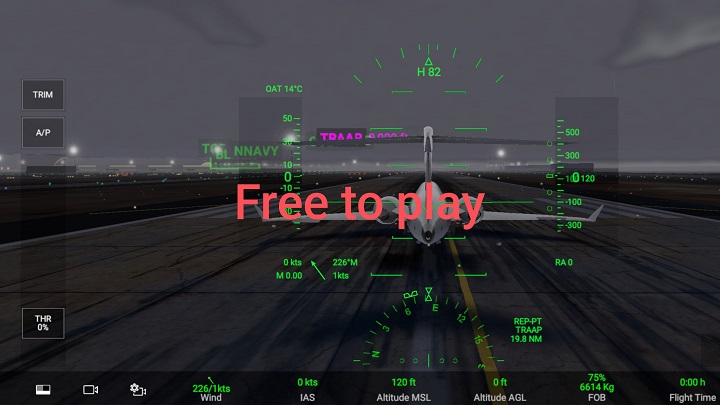
What is RFS - Real Flight Simulator Games?
Real Flight Simulator (RFS) delivers an immersive piloting experience by combining realistic flight dynamics, intuitive controls, and a variety of mission types that appeal to casual players and aviation enthusiasts alike. From takeoff roll to landing flare, the physics model simulates weight, lift, drag, and engine response in ways that produce believable aircraft behavior across different configurations and weather conditions. The game offers multiple flight modes that adapt control complexity for players who prefer simplified handling or those seeking aspects of real-world procedures such as trim adjustments, flap management, and fuel balancing. Navigation tools include instrument readouts, moving maps, and waypoints, enabling both visual flight rules (VFR) and instrument flight rules (IFR) styles of flying. Weather systems add dynamic winds, cloud layers, precipitation, and visibility changes that affect aircraft performance and pilot decision making. Missions range from short sightseeing flights to challenging instrument approaches and emergency procedures, providing variety and goals that increase replay value. The career progression system rewards successful flights with unlocks and in-game currency that can be used to access new aircraft and liveries, fostering a sense of achievement. Sound design complements the simulation by presenting engine noise, cockpit alerts, and environmental sounds that reflect flight phases and ground interactions. Tutorials and practice modes guide players through maneuvers, runway operations, and use of onboard instruments, helping newcomers build confidence. Controller support accommodates touch, tilt, virtual joysticks, and external hardware, adapting to different play styles. Overall, RFS balances accessibility and depth, creating a satisfying bridge between arcade fun and flight simulation authenticity that invites players to learn, experiment, and enjoy the challenges of virtual aviation. Frequent updates expand content with new airports, improved avionics, and community-requested features, while replay analysis tools let pilots review approaches, landings, and instrument procedures to steadily refine technique and master increasingly complex scenarios.
RFS showcases a diverse fleet spanning light single-engine pistons, turboprops, business jets, and classic taildraggers, each modeled with unique performance profiles and cockpit layouts that reflect their real-world counterparts. Aircraft parameters such as weight and balance limits, power curves, propeller efficiency, and stall characteristics influence handling and require pilots to adapt takeoff and climb techniques accordingly. Customization options allow virtual pilots to modify paint schemes, choose avionics suites, fit auxiliary fuel tanks, and tweak loadouts for passenger, cargo, or long-range missions. Livery variety enhances immersion by letting players represent private operators, airline brands, or personalized designs, while modular cockpit panels permit rearrangement of instruments and the addition of popular navigation aids. Aircraft progression unlocks higher-performance models as players complete missions and accumulate in-game resources, creating a sense of stepping up the complexity ladder from a forgiving trainer to a high-speed business jet. Performance calculators and loading screens communicate center of gravity and runway performance numbers, encouraging preflight planning and realistic decision making about fuel, payload, and flap settings. Some planes include advanced systems like pressurization, anti-ice, and multi-engine failure procedures that introduce layered challenges for experienced users. Visual fidelity for exterior and interior models includes detailed textures, animated control surfaces, and functional switches that respond to pilot input, while damage modeling affects flight characteristics after hard landings or engine stress. Pilots can save customized presets for preferred configurations and switch quickly between recreational sightseeing setups and mission-ready configurations. Community-created liveries and modded textures expand visual options and celebrate the creative side of the player base. Whether a newcomer seeks a forgiving trainer or a seasoned pilot wants complex systems management, the aircraft and customization ecosystem in RFS supports varied playstyles and encourages experimentation with different flight philosophies. Detailed performance charts help pilots plan efficient routes and fuel consumption effectively too.
Beyond entertainment, RFS functions as a practical learning environment for aspiring pilots and students of aviation, offering hands-on exposure to navigation, aerodynamics, and procedural discipline. Flight scenarios and step-by-step tutorials introduce core concepts such as weight and balance calculations, VOR and GPS navigation, instrument interpretation, and radio communication phrasing in simplified, repeatable formats that reinforce knowledge through practice. Simulated flight planning tools illustrate route selection, fuel planning, alternate airports, and weather considerations, giving players a sense of preflight decision-making processes that contribute to safety and efficiency. By practicing approaches, climbs, and emergency procedures in a risk-free virtual environment, users can develop muscle memory for control inputs, learn to interpret flight instruments under pressure, and refine checklist usage that mirrors real-world cockpit routines. Scenario-based training modules recreate crosswind landings, engine failures, and system malfunctions, enabling learners to evaluate tradeoffs and responses without real-world consequences. Instrument meteorological conditions can be simulated to sharpen skills in reliance on flight instruments and navigation aids, increasing pilot confidence when visual cues are minimal. Replay and debriefing features allow examination of flight paths, approach stability, and deviations, supporting analytical review and iterative improvement. The game's layering of difficulty settings permits gradual advancement from basic handling to complex multi-engine operations, accommodating diverse learning paces. Educators and self-directed learners can use mission design to build tailored curricula that focus on specific competencies like approach plates interpretation or multi-leg trip planning. Moreover, exposure to aviation terminology, airport layouts, and regulatory concepts fosters familiarity that eases transition to formal ground school or flight instruction. While not a substitute for certified pilot training, RFS serves as an accessible adjunct that promotes spatial awareness, decision-making, and procedural discipline, preparing enthusiasts for more advanced study or practical flight experiences. Consistent practice in simulation builds judgment under pressure and promotes safer habits reliably too.
Multiplayer features in RFS create dynamic social experiences by connecting pilots across global airspaces, enabling collaborative flights, formation flying, and competitive challenges. Shared sessions allow users to coordinate departures, join convoys for scenic routes, or participate in timed precision landing contests that test piloting skill under comparable conditions. Live traffic and cooperative play introduce human unpredictability, with other players acting as air traffic, wingmen, or event organizers who contribute emergent narratives that single-player missions cannot replicate. Voice and text communication tools facilitate real-time coordination for flight plans, formation positions, and approach briefings, while integrated etiquette guidelines encourage respectful behavior during congested airport operations. Community-run events range from casual sightseeing meetups to organized fly-ins at iconic airports and themed festivals showcasing historical aircraft or liveries. Leaderboards and achievement systems motivate pilots to improve rankings in areas like cross-country speed, economy, and landing precision, creating friendly rivalries that spur skill development. Mod communities and shared content hubs extend the core game with user-created liveries, custom challenges, and mission packs that diversify available experiences and celebrate player creativity. Collaborative training sessions can pair new pilots with experienced mentors who demonstrate procedures and provide in-session coaching, fostering knowledge transfer without formal classroom settings. Developers often engage with the community through feedback channels and public roadmaps that reflect popular suggestions, fueling an iterative cycle of refinement and community-driven features. Social connectivity also supports the formation of virtual airlines and flight clubs where members adopt shared rules, schedules, and branding to coordinate regular operations. In aggregate, the multiplayer and community ecosystem transforms individual flights into social experiences that reward cooperation, creativity, and continuous improvement, making RFS not just a simulator but a vibrant platform for aviation enthusiasts to meet, learn, and fly together. Regular themed events and competitions keep engagement fresh and reward participation frequently too.
On the technical front, RFS leverages modern rendering techniques, optimized asset streaming, and efficient physics solvers to deliver high-fidelity visuals and stable frame rates across varied hardware configurations. Terrain and airport detail utilize tiled level-of-detail systems that present realistic runways, taxiways, and surrounding landscapes without overwhelming memory resources, while lighting models simulate diurnal cycles, runway lights, and atmospheric scattering to create convincing sunrise, sunset, and night operations. Cockpit instruments are implemented as functional overlays or interactive 3D elements, providing readable gauges, digital flight displays, and configurable glass cockpit options suited to different aircraft classes. Control schemes accommodate touch inputs, tilt steering, virtual yokes, and external controllers, and sensitivity curves allow pilots to fine-tune responsiveness for smooth or precise handling. Audio processing delivers spatialized engine tones, wind effects, and environmental ambiance that contribute to situational awareness. Performance optimization focuses on balancing visual fidelity with input latency and simulation accuracy, prioritizing a responsive feel essential for precision maneuvers and approaches. The engine's modular architecture supports content updates, new aircraft, and additional airports without imposing monolithic patch sizes, facilitating incremental expansion of the simulation world. Telemetry and logging systems capture flight data for post-flight analysis, enabling advanced users to review control inputs, heading deviations, and approach stability. Accessibility features help adjust complexity, providing assistance overlays, simplified controls, and tailored challenges to welcome a broad audience. Looking forward, continued enhancements may include expanded global coverage, deeper avionics modeling, and richer environmental interactions such as advanced turbulence and more realistic ATC behavior, all designed to deepen immersion. These ongoing refinements aim to maintain technical robustness while widening the simulator's appeal to both newcomers and dedicated virtual aviators. Regular performance profiling and community feedback loops guide optimization efforts, resulting in smoother large-scale events, reduced load times, and more consistent physics fidelity across varying mission complexities too.
 HappyMod