IPTV Smart Purple Player Mod APK - IPTV Smart Purple Player is a free IPTV media player app that plays your own playlists on Android..
| App Name | IPTV Smart Purple Player |
|---|---|
| Publisher | Purple Smart Tv Llc |
| Genre | App |
| Size | 98.17 MB |
| Latest Version | 5.8 |
| MOD Info | Unlocked/Premium |
| Get it On |
IPTV Smart Purple Player suits users who already have legal IPTV links or service credentials and want a simple way to watch them on Android. It focuses on loading your content quickly and keeping it organized, so you can move between channels and on-demand items with less setup. In addition, the interface is straightforward for phones and TVs, which helps when switching devices. If you need a flexible viewer across screens, consider downloading IPTV Smart Purple Player APK to manage your playlists in one place.
Add your own IPTV content
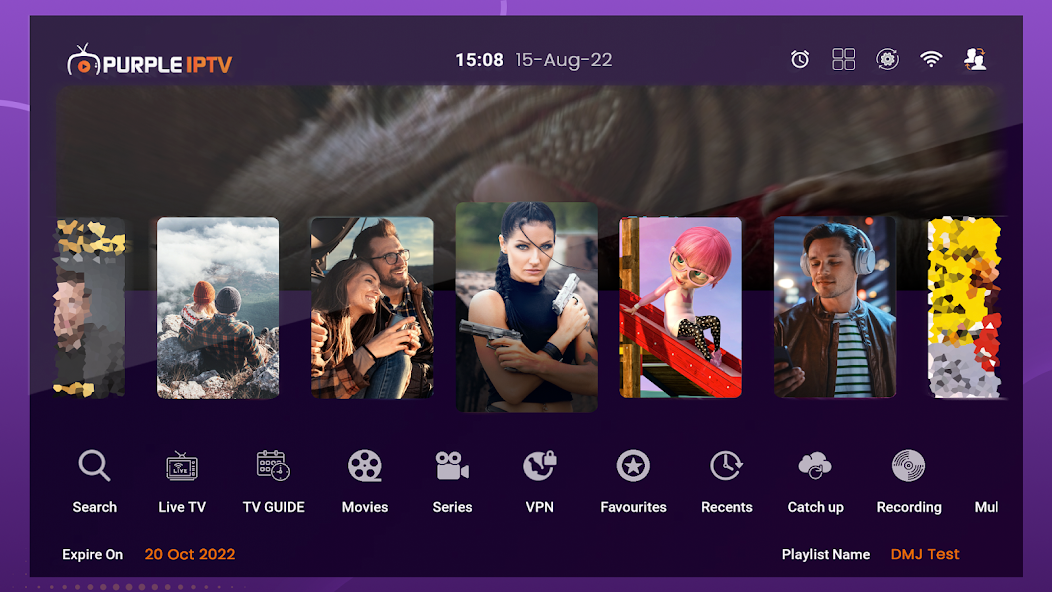
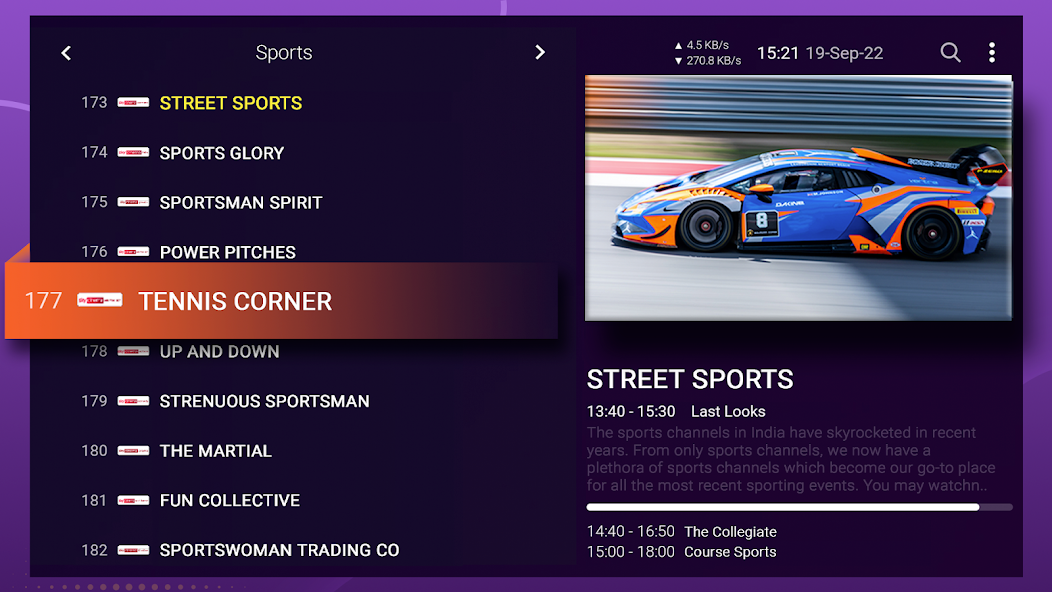
You can add M3U playlists or log in with Xtream Codes to bring in your channels and on-demand libraries. IPTV Smart Purple Player organizes them into Live TV with an electronic program guide, Video on Demand, and Shows. Catch-up is supported when your source includes it. This structure helps you move from live channels to on-demand items without losing your place.
Built-in playback with advanced options
The app includes inbuilt players based on ExoPlayer and VLCKit, which handle 4K playback when the device and source allow it. You can enable subtitles and pick between dual audio tracks when available. IPTV Smart Purple Player also supports external players if you prefer a different viewer. This flexibility helps you match playback to your device and network conditions.
Faster browsing and quick access
Channel changes are designed for fast zapping so you spend less time waiting between switches. An EPG cache helps speed up guide loading after the first sync. You can mark favorites across sections and use a single search to find channels, shows, or movies. This setup reduces scrolling and makes it easier to return to what you watch most.
Works across screens with casting support
IPTV Smart Purple Player runs on phones, tablets, Android TV, and Android boxes, and it also works on a PC through an Android emulator. When you want to watch on a bigger screen, you can cast to Roku, Fire TV, Xbox, Samsung Smart TV, LG Smart TV, or Android TV. On Android TV, you can set it as a launcher if you prefer a simplified start screen. This makes it practical to move viewing to a living room TV without a separate setup.
Controls, privacy, and network tools
Parental controls let you lock categories or channels with a PIN, and a private videos area keeps selected items separate. IPTV Smart Purple Player includes a free VPN option to help stabilize access in some networks, and you can set a custom user agent when required by your provider. You can also manage playlist URLs from the official website and sync them across multiple devices. These tools help you keep content organized and maintain consistent settings.
This app does not provide any media or IPTV service. You must add your own legal playlists, streams, or provider credentials. Casting requires compatible devices on the same network, and some features depend on your source, such as EPG data, catch-up, subtitles, and multiple audio. If you use the included VPN, select a location that suits your provider rules and local laws.
Installation and playlist setup guides for Android phones, Android TV, and Fire TV devices are available on the official website. You can also manage your playlist URLs online for multi-device sync and find help for login or loading issues. If you need assistance, contact support using the official email listed below.
Organizations that need branded IPTV player solutions can reach out through the official contact. Customization and rebranding inquiries are accepted for businesses that want tailored layouts or deployments. Provide your requirements and preferred platforms when you contact the team.
This short guide covers the basics of loading your playlist and starting playback on a phone or tablet. It focuses on adding content, browsing sections, and adjusting common settings. If needed, you can install IPTV Smart Purple Player APK first, then follow these steps.
IPTV Smart Purple Player focuses on playing your own legal IPTV sources with simple controls across mobile and TV screens. It supports fast navigation, flexible playback, and device casting for home use. If this matches your needs, download IPTV Smart Purple Player to begin.
For official resources and contact details, use the information below.
IPTV Smart Purple Player is a Arcade Games Developed by Skyloft. This mod is upload by HappyMod App Users. The Mod Feature about This Mod is: 1. UNLIMITED GOLD
2. UNLIMITED UPGRADES.
You need to click the download button to Downloading Page, then you will download IPTV Smart Purple Player directly. If you have downloaded HappyMod App, it is ok. You need to install HappyMod App then click the download button on downloading page. The app you want to download will show on HappyMod App.
The download speed in HappyModpro is really fast. The Download speed in HappyMod App is faster. You can download HappyMod App first in home page.
IPTV Smart Purple Player Mod is 100% safe. This mod was upload by users. It has been tested and overviewed by editor. Then we will use all types of an-ti virus software to scan the file. You do not to worry about the safety of IPTV Smart Purple Player Mod.
First, you should uninstall the original version IPTV Smart Purple Player App, the signature will conflict with mod version. Then you should allow unknow resource can be install on your Android devices.
Best mod downloader
for 100% working mods.
 HappyMod