About Shortcut Creator
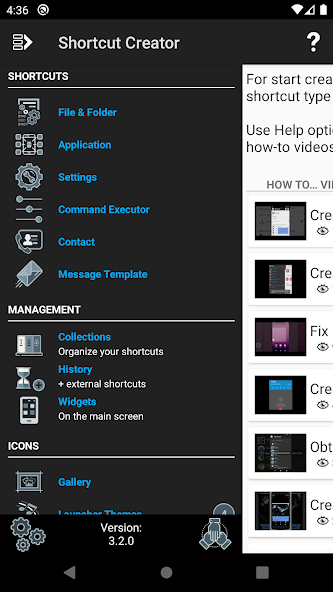
This application allows you to create shortcuts on local files and folders, applications, settings, contacts, messages and even you can customize shortcuts from other apps. You can provide your own shortcut title and use many different features for customizing the shortcut icon: use icon of the related application, crop image exported from external gallery, import icons from file, use icon from external theme. The app also supports native widgets - you can create a widget instead of a shortcut. Later the widget icon, title and appearance can be changed. In addition you can organize shortcuts in the Collections database using different methods like hierarchy or tags. Later you can use Collections dialogs to get quick access to the organized shortcuts.
WARNING:
Some features require Pro mode (an in-app purchase) but Trial mode does not block them at first and you're given time to test them. Trial is absolutely IDENTICAL to Pro so don't buy Pro if you think that something will be changed.
WARNING:
On Android Oreo (8.0) there is a new way to add shortcuts on the main screen and the Launcher automatically adds a small Shortcut Creator icon to the right bottom corner of any shortcut icon. I've found only one workaround for this - add from widgets. Please check the related how-to video on the first page of the app.
Features of Shortcut Creator:
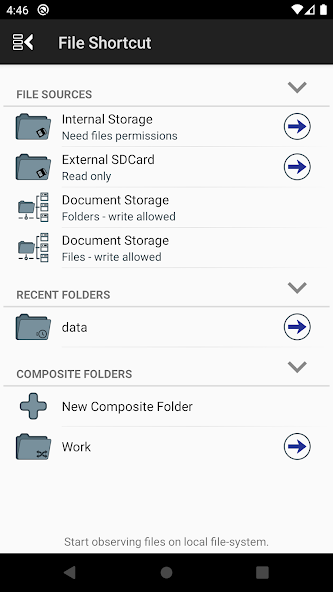
- ability to create shortcuts on local files, folders, applications, settings, contacts and messages.
- use an additional free component for creating shortcuts on switcher on some settings and also composite mode switcher.
- support of native widgets which can be used as a container for a shortcut.
- ability to re-use already created shortcuts in the History feature and add shortcuts from other apps.
- organize all your shortcuts in the Collections database with ability to export/import selected shortcuts.
- the system can automatically set up tags for each type of shortcut; for apps it also can add the app category; the user can easily add any other custom tags.
- flexible layout and appearance system for File Browser and Collections dialogs.
- manage your icons collections and import a new icon collection from zip archive (Pro mode required).
- select images from different Android galleries and rich crop functionality for creating a new icon from the selected image.
- parse themes for some popular Launchers and provide ability to use their icons (Pro mode required) and wallpapers.
- app has not write access to internal storage and sdcard and works only in its private area.
- support tablet devices.
Currently the app allows you to buy Pro mode only. This mode provides following benefits:
- Import icons to the icon gallery.
- Use icons from themes.
- Add sub-collections in the Collection database.
- Export shortcuts from Collection database (but import is free).
- Removing any ad (if it will be added in the future) and other annoying dialogs.
Required permissions:
- Reading your content on SDCard is required for selecting some local file which will be used as target for a shortcut.
- Reading your contacts is required for selecting some contact which will be used as a target for a shortcut.
- Install shortcuts is required for core functionality.
- Internet access is required only for advertising and is not used in other parts of the app.
On Android 6.0 there is a system ability to block access to your local file system and contacts – the app takes this into account and handles all cases correctly.
Games like Shortcut Creator Mod APK
More Apps from same developer

 HappyMod