About SmartOffice - Doc & PDF Editor
THE COMPLETE OFFICE & PDF PRODUCTIVITY APP
SmartOffice is an intuitive, easy-to-use document editing application designed to meet the needs of today's mobile world. View, edit, create, present & share MS Office documents directly on your mobile devices.
WHAT'S NEW
•One-Drive support
•Dark Mode Content support
•Footnote & Endnote editing (docx)
•PDF Redactions (PRO feature)
•Numerous bug fixes & performance enhancements
FREEDOM TO WORK ANYWHERE
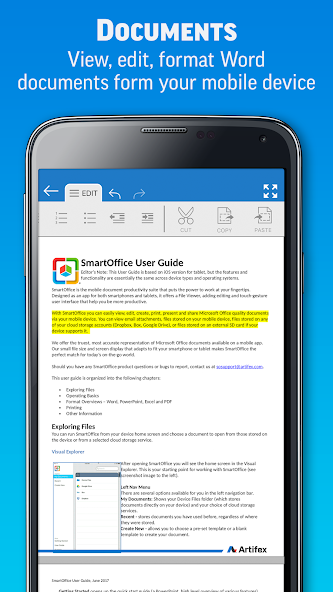
•DOCUMENTS: Create new using blank or pre-designed templates
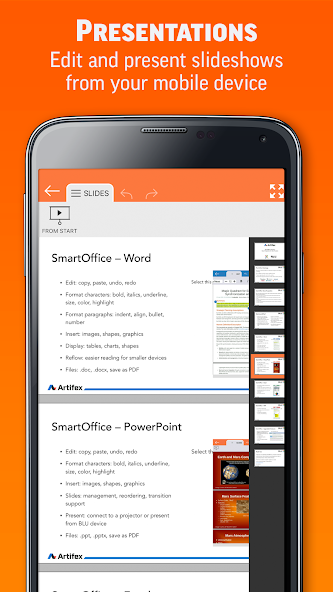
•PRESENTATIONS: View, edit & present slideshows
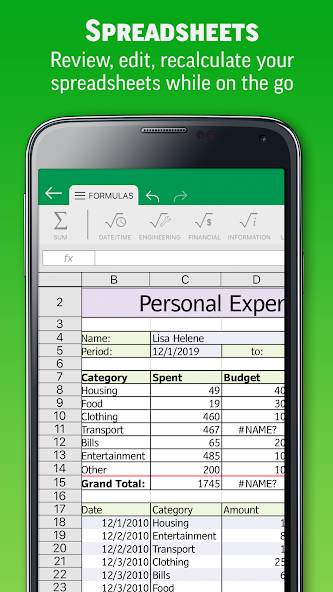
•SPREADSHEETS: Review and edit budgets, expense reports and more
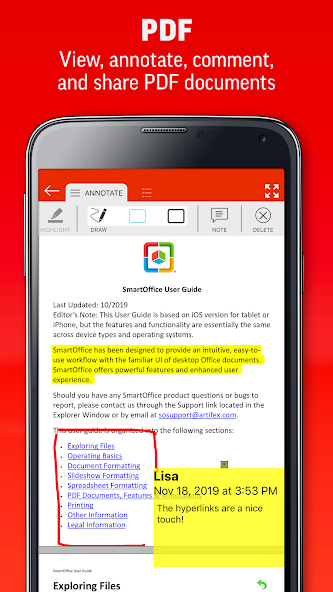
•PDF: View, annotate, & convert Office documents to PDF
•PRINT: Wirelessly to thousands of supported printers, including AirPrint
COMMON FEATURES ACROSS ALL FORMATS
•View, edit, create, share, save & print MS Office documents quickly and securely
•Editing: Copy, cut, paste, undo & redo
•Character Formatting: Bold, italics, underline; font style, size, color & highlight
•Documents may be saved in their original file format or converted to PDF
•Pre-designed templates to aid new document creation
•Password Protection Support (Office x files): Open, view, edit, & re-save encrypted documents on your device
•Cloud support: Open & save documents to the cloud with effortless synchronization with Box, Dropbox, Google Drive & OneDrive
•Full-screen viewing mode
•Dark mode content support
DOCUMENTS
•Indent, align, bullets, numbering
•Insert images, shapes, graphics
•Support for tables, shapes, charts (display)
•Reflow mode for easier reading on a small device
•Edit footnotes and endnotes (docx)
PRESENTATIONS
•Text, paragraph, & content formatting
•Insert images, shapes, and graphics
•Slide management & reordering
•Slide transition support
•Present directly from your mobile device or through a projector
SPREADSHEETS
•Formatting Options: Cell size/alignments, cell/column/row insert & delete
•Cell Types: Numeric, date, time, currency, fraction, percentage, scientific, & more
•Add & delete worksheets
•Chart display & a wide range of formulas
PDF
•View, annotate, highlight and share PDF documents
•Convert, export, save Office documents to PDF format
UPGRADE TO PRO
•Track Changes – Collaborate, exchange edits & comments in a shared docx file
-Configure multiple authors
-Navigate previous/next changes
-Accept/reject changes from other authors
-Edit existing changes
•PDF Form Filling – Supports PDF AcroForms
-Fill, view, save & share form content.
-SmartOffice PRO offers limited support for XFA forms
•PDF Redactions – Supports PDF AcroForms
WE WANT TO HEAR FROM YOU!
Please contact sosupport@artifex.com, or directly from the app (Support -> Contact Us) if you have feedback or would like to report a bug.
FILE FORMATS
•MS Office: Word (doc, docx), PowerPoint (ppt, pptx), Excel (xls, xlsx)
•PDF viewer, annotate
•View JPEG, PNG, GIF, TIFF, BMP images, WMF/EMF diagrams & HWP, TXT
LANGUAGES
∗Localized for: Chinese (Simplified/Traditional), English, Japanese, French, German, Italian, Korean, Polish, Portuguese (Portugal/Brazil), Russian, Spanish (Spain/Mexico), Hebrew, Dutch and Turkish
∗View: Arabic, Azerbaijani, Chinese (Simplified), Chinese (Traditional), Czech, Danish, Dutch, English, Faroese, Finnish, Greek, Georgian, Hebrew, Hungarian, Italian, Japanese, Korean, Kurdish, Latvian, Lithuanian, Maltese, Norwegian, Polish, Portuguese (Portugal/Brazil), Russian, Scots Gaelic, Slovak, Slovenian, Spanish (Spain/Mexico), Swedish, Turkish, Vietnamese and Yiddish
STAY CONNECTED
FACEBOOK - https://www.facebook.com/SmartOfficemobile"
TWITTER - https://twitter.com/Artifex
LINKEDIN - https://www.linkedin.com/company/artifexsoftware/?viewAsMember=true
YOUTUBE - https://www.youtube.com/channel/UCi7cUSYB30itGXfAmB7-Bpw/featured
SmartOffice - Doc & PDF Editor Faqs
What about the SmartOffice - Doc & PDF Editor Mod ?
SmartOffice - Doc & PDF Editor is a Arcade Games Developed by Skyloft. This mod is upload by HappyMod App Users. The Mod Feature about This Mod is: 1. UNLIMITED GOLD
2. UNLIMITED UPGRADES.
How can I download the SmartOffice - Doc & PDF Editor Mod?
You need to click the download button to Downloading Page, then you will download SmartOffice - Doc & PDF Editor directly. If you have downloaded HappyMod App, it is ok. You need to install HappyMod App then click the download button on downloading page. The app you want to download will show on HappyMod App.
How about the download speed?
The download speed in HappyModpro is really fast. The Download speed in HappyMod App is faster. You can download HappyMod App first in home page.
Is SmartOffice - Doc & PDF Editor Mod safe?
SmartOffice - Doc & PDF Editor Mod is 100% safe. This mod was upload by users. It has been tested and overviewed by editor. Then we will use all types of an-ti virus software to scan the file. You do not to worry about the safety of SmartOffice - Doc & PDF Editor Mod.
Why cannot install the SmartOffice - Doc & PDF Editor mod?
First, you should uninstall the original version SmartOffice - Doc & PDF Editor App, the signature will conflict with mod version. Then you should allow unknow resource can be install on your Android devices.

 HappyMod