Home  ›  Games  ›  Action  ›  Winlator Mod APK
Winlator icon

Winlator MOD APK v8.0 [Mod money]

Winlator Mod APK - .

App Name Winlator
Publisher Brunosx
Genre
Size 2416.94 MB
Latest Version 10.1
MOD Info Mod money
Get it On
MOD Info
This game is run by a computer emulator, which requires high configuration of the mobile phone and requires decompression. It is recommended to reserve about 10G of space
1. After starting the game, click the + icon in the upper right corner to create the container.
No configuration is required, click √ in the lower right corner to complete the creation.
2. Click to start the container.
3. Find the D disk and select "Hollow Knight Silksong.exe" in the HollowKnightSilksong file to decompress. It takes a long time to decompress. Please wait patiently
4. After decompression is completed, you can return to see the game directory and select unitycrashHandler64.exe
5. The phone returns the keyboard to call out the keyboard, and select the virtual keyboard
6. If winlator is installed on your phone, you need to uninstall and download this game
Download (2416.94 MB)
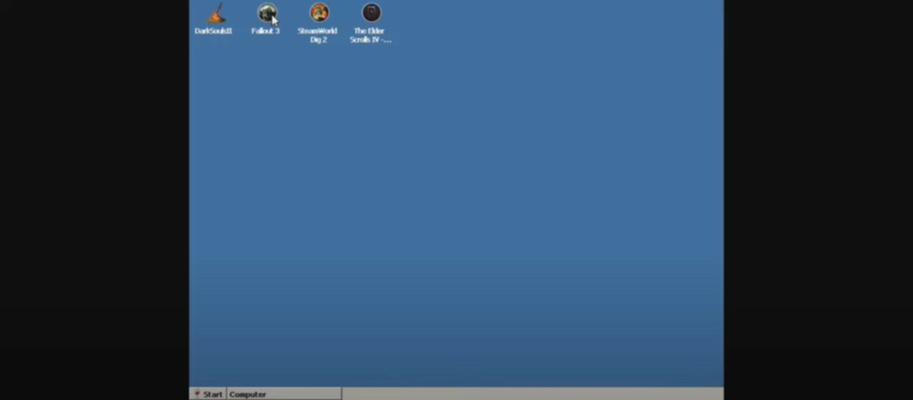
  • Winlator screenshots
Explore This Article

About Winlator


Winlator is an emulator for Android that allows you to run x86 and x64 Windows apps and programs via emulation, including PC games. To perform the emulation, Winlator uses Wine, Box86, and Box64.

After installing the app, Winlator will install all the content from the obb file that comes with the XAPK, so it may take a few seconds until you can use the app. After that, you can create separate containers to run a virtual desktop or run games on Android. To install them, you first need to copy them to the internal memory of your device.

Winlator allows you to run PC games like Fallout 3, Deus Ex: Human Revolution, Mass Effect 2, and The Elder Scrolls IV: Oblivion, as well as other titles and programs. The performance of the games depends on the device you're using, since the games will run more smoothly with a more powerful processor.

When you run a program or game, you can choose the screen size, the graphics driver, the DX Wrapper version, the graphics card you want to emulate, how many processor cores you want to simulate, and so forth. To enjoy the best emulation, you'll have to experiment with all these settings. For games, it's possible to use a mouse and keyboard, or you can use your screen's touch controls.

Download the APK of Winlator now to run PC games on your Android.

Winlator Faqs

What about the Winlator Mod ?

Winlator is a Arcade Games Developed by Skyloft. This mod is upload by HappyMod App Users. The Mod Feature about This Mod is: 1. UNLIMITED GOLD
2. UNLIMITED UPGRADES.

How can I download the Winlator Mod?

You need to click the download button to Downloading Page, then you will download Winlator directly. If you have downloaded HappyMod App, it is ok. You need to install HappyMod App then click the download button on downloading page. The app you want to download will show on HappyMod App.

How about the download speed?

The download speed in HappyModpro is really fast. The Download speed in HappyMod App is faster. You can download HappyMod App first in home page.

Is Winlator Mod safe?

Winlator Mod is 100% safe. This mod was upload by users. It has been tested and overviewed by editor. Then we will use all types of an-ti virus software to scan the file. You do not to worry about the safety of Winlator Mod.

Why cannot install the Winlator mod?

First, you should uninstall the original version Winlator App, the signature will conflict with mod version. Then you should allow unknow resource can be install on your Android devices.

Games like Winlator Mod APK

More Apps from same developer

Rate this Mod

5 (0)

Leave a Comment

X